

7 min read
Introduction
Creating online learning course materials requires the use of various tools and software to develop content, manage courses, and facilitate communication and collaboration. In this article, we will explore the essential tools and software options for creating online learning course materials.
Learning Management Systems (LMS):
Moodle
Moodle is a free and open-source LMS that is widely used by educational institutions around the world. It offers a range of features for creating, managing, and delivering online courses, including course creation tools, grading systems, and student tracking.
Blackboard
Blackboard is a commercial LMS that is used by many universities and schools. It offers a range of features for creating and delivering online courses, including course creation tools, grading systems, and student tracking.
Canvas
Canvas is a commercial LMS that is used by many educational institutions. It offers a range of features for creating and delivering online courses, including course creation tools, grading systems, and student tracking.
Video Editing Software:
iMovie
iMovie is a free video editing software that is available for Mac users. It offers a range of features for creating and editing videos, including the ability to add music, transitions, and text.
Windows Movie Maker
Windows Movie Maker is a free video editing software that is available for Windows users. It offers a range of features for creating and editing videos, including the ability to add music, transitions, and text.
Adobe Premiere Pro
Premiere Pro is a professional video editing software that is available for both Mac and Windows users. It offers a range of advanced features for creating and editing videos, including support for multiple videos and audio tracks, colour correction, and special effects.
Final Cut Pro
Final Cut Pro is a professional video editing software that is available for Mac users. It offers a range of advanced features for creating and editing videos, including support for multiple videos and audio tracks, colour correction, and special effects.
Graphic Design Software:
Adobe Photoshop
Adobe Photoshop is a professional graphic design software that is available for both Mac and Windows users. It offers a range of features for creating and editing images, including support for layers, masks, and filters.
Adobe Illustrator
Adobe Illustrator is a professional graphic design software that is available for both Mac and Windows users. It offers a range of features for creating and editing vector graphics, including support for shapes, paths, and text.
Inkscape
Inkscape is a free and open-source graphic design software that is available for both Mac and Windows users. It offers a range of features for creating and editing vector graphics, including support for shapes, paths, and text.
Audio Editing Software:
Audacity
Audacity is a free and open-source audio editing software that is available for both Mac and Windows users. It offers a range of features for recording, editing, and exporting audio, including support for multiple tracks, effects, and filters.
Adobe Audition
Adobe Audition is a professional audio editing software that is available for both Mac and Windows users. It offers a range of advanced features for recording, editing, and exporting audio, including support for multiple tracks, effects, and filters.
GarageBand
GarageBand is a music creation software that is available for Mac users. It offers a range of features for recording, editing, and exporting audio, including support for multiple tracks, effects, and loops.
Office Software:
Microsoft Office
Microsoft Office is a suite of office software that is available for both Mac and Windows users. It includes applications such as Word, Excel, and PowerPoint for creating documents, spreadsheets, and presentations.
Google Workspace
Workspace is a suite of office software that is available online. It includes applications such as Google Docs, Sheets, and Slides for creating documents, spreadsheets, and presentations.
LibreOffice
LibreOffice is a free and open-source office software suite that is available for both Mac and Windows users. It includes applications such as Writer, Calc, and Impress for creating documents, spreadsheets, and presentations.
Interactive Content Creation Tools:
Quizlet
Quizlet is a tool for creating and sharing interactive study materials such as flashcards and quizzes. It is available online and as a mobile app.
Google Forms
Google Forms is a tool for creating and sharing interactive forms, surveys, and quizzes. It is available as part of Google Workspace.
H5P
H5P is a tool for creating and sharing interactive content such as quizzes, games, and interactive videos. It is available as a plugin for various content management systems such as WordPress.
Screen Recording Software:
Camtasia
Camtasia is a screen recording and video editing software that is available for both Mac and Windows users. It offers a range of features for creating and editing video tutorials and demonstrations, including the ability to record audio and add annotations.
Snagit
Snagit is a screen recording and image capture software that is available for both Mac and Windows users. It offers a range of features for creating and editing video tutorials and demonstrations, including the ability to record audio and add annotations.
OBS Studio
OBS Studio is a free and open-source screen recording and live streaming software that is available for both Mac and Windows users. It offers a range of features for recording
Collaboration Tools:
Google Docs
Google Docs is a word processing and document collaboration tool that is available as part of Google Workspace. It allows multiple users to edit and collaborate on documents in real time.
Slack
Slack is a communication and collaboration platform that is available online and as a mobile app. It offers a range of features for messaging, file sharing, and project management.
Asana
Asana is a project management and collaboration tool that is available online and as a mobile app. It offers a range of features for task assignment, project planning, and team communication.
Presentation Software:
PowerPoint
PowerPoint is a presentation software that is available as part of Microsoft Office. It offers a range of features for creating and presenting slide decks, including support for text, images, and multimedia.
Google Slides
Google Slides is a presentation software that is available as part of Google Workspace. It offers a range of features for creating and presenting slide decks, including support for text, images, and multimedia.
Prezi
Prezi is a presentation software that is available online. It offers a range of features for creating and presenting slide decks, including support for zooming and panning effects.
Web Conferencing Software:
Zoom
Zoom is a web conferencing software that is available online and as a mobile app. It offers a range of features for video conferencing, webinars, and screen sharing.
Skype
Skype is a communication software that is available online and as a mobile app. It offers a range of features for video and audio calls, as well as screen sharing and instant messaging.
Google Meet
Google Meet is a web conferencing software that is available as part of Google Workspace. It offers a range of features for video conferencing, webinars, and screen sharing.
E-book Creation Software:
Calibre
Calibre is a free and open-source e-book management and conversion software that is available for both Mac and Windows users. It offers a range of features for creating, converting, and organizing e-books in various formats.
Adobe InDesign
Adobe InDesign is a professional desktop publishing and layout software that is available for both Mac and Windows users. It offers a range of features for creating and formatting e-books, including support for text, images, and multimedia.
Animation Software:
Adobe Animate
Adobe Animate is a professional animation software that is available for both Mac and Windows users. It offers a range of features for creating and editing 2D and 3D animations, including support for vector graphics, bone rigging, and particle effects.
Blender
Blender is a free and open-source 3D animation and modeling software that is available for both Mac and Windows users. It offers a range of features for creating and editing 3D models and animations, including support for rigging, shading, and rendering.
I hope this information is helpful! Let me know if you have any other questions in the comments.
Trainer Toolkit: Ready-to-Use Assessment Templates
Seven working templates for competency-based assessment, from the assessment plan to candidate feedback.
- Assessment plan and observation checklist
- Oral questioning and product checklists
- Decision record and feedback form (PDF)
Enter your email and the download opens straight away. You will also get occasional practical tips; unsubscribe anytime.
Resources for trainers
Study guides and AI prompts built for CDACC Cycle 3. Pay with M-Pesa and download instantly.
-
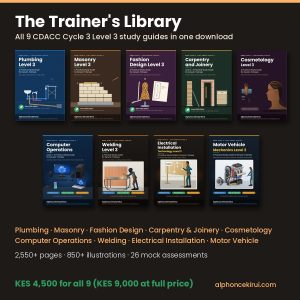
Trainer’s Library: All 9 CDACC Cycle 3 Level 3 Study Guides (PDF Bundle)
KSh 4,500.00 Add to cart -
Sale!
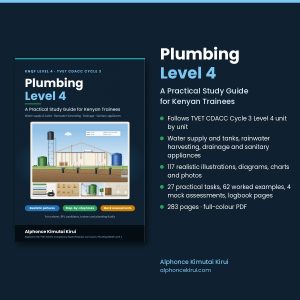
Plumbing Level 4 Study Guide (CDACC Cycle 3) – PDF Ebook
Original price was: KSh 1,200.00.KSh 900.00Current price is: KSh 900.00. Add to cart -
Sale!
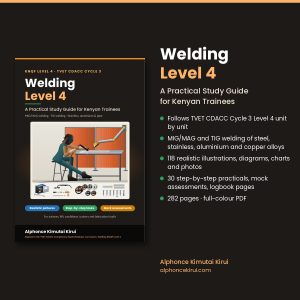
Welding Level 4 Study Guide (CDACC Cycle 3) – PDF Ebook
Original price was: KSh 1,200.00.KSh 900.00Current price is: KSh 900.00. Add to cart
Leave a Reply