

5 min read
First published in 2016 and fully updated in October 2026.
When I first wrote this post, I was using my phone as a notebook, a textbook and a personal library, and sharing notes with students through the few channels we had. A decade later, almost every trainee in a Kenyan vocational training centre or TVET college carries a smartphone. Many have more data than they have textbooks. The question for trainers is no longer whether to use phones for learning, but how to use them well, without leaving behind trainees with basic phones or little data.
This updated guide covers what has worked for me and for trainers I work with: how to prepare phone-friendly learning materials, which channels to use to deliver them, and the rules that keep mobile learning fair and safe.
Why phones matter in TVET
- Textbooks are scarce and expensive. Many trades have few locally relevant books, and those that exist cost more than trainees can afford.
- Trainees are often away from the institution. During attachment, holidays and evening study, the phone is the only learning resource they carry.
- CBET needs practice and revision, not just lectures. Short notes, diagrams, videos of procedures and practice questions on a phone support exactly that.
Step 1: Prepare materials that work on a small screen
Most learning materials are designed for A4 paper and are painful to read on a phone. A few changes make a big difference:
- Use PDF for notes. PDF keeps your layout and opens on almost every phone. Word documents often display badly.
- Use large text and short paragraphs. A font size of 12–14 points with clear headings is easier to read on a phone than dense pages.
- Keep files small. Compress images before inserting them, and split long documents into one file per unit or learning outcome. A 2 MB file is far kinder to a trainee’s data bundle than a 40 MB one.
- Label clearly. Name files with the unit and topic, for example Masonry L3 – Unit 2 – Setting out.pdf, not notes final 2.pdf.
- Add diagrams and photos of real work. A photo of a correctly laid course of blocks or a properly terminated cable teaches more than a paragraph.
Free tools such as Google Docs, Microsoft Word, LibreOffice and Canva can all export to PDF. A phone camera and a scanning app are enough to digitise handwritten notes and diagrams.
Step 2: Short videos of procedures
Practical skills are hard to learn from text. Short videos, recorded on a phone, are one of the most powerful tools a trainer has:
- Record each video on one procedure, ideally two to five minutes long.
- Film in good light, with the phone steady, showing hands and tools clearly.
- Explain safety points out loud as you work.
- Share through YouTube (unlisted if you prefer) or as small compressed files.
Trainees can watch the video before a practical session, so workshop time is spent practising rather than watching a demonstration from the back of a crowd.
Step 3: Choose the right delivery channels
WhatsApp class groups
WhatsApp is the channel almost every trainee already uses. It works well for announcements, short notes, PDFs, voice notes and quick questions. To keep groups useful:
- Set the group so only admins can post announcements, or have a separate group for discussion.
- Agree on group rules: learning content only, respectful language, no forwarding chain messages.
- Pin or re-share key files before assessments, because files get buried in busy groups.
Google Classroom or similar platforms
For more structured courses, a free learning platform such as Google Classroom lets you organise materials by unit, set assignments and keep a record of submissions. It works on phones through an app and is worth the setup time for long courses.
Telegram channels
Telegram handles larger files and long-term archives better than WhatsApp, and channels let you publish to many trainees without a crowded chat. Some trainers use Telegram as a library and WhatsApp for day-to-day communication.
Offline sharing
Not every trainee has data. Files can be shared offline using phone-to-phone apps, Bluetooth, flash drives or by copying to memory cards. A computer in the library or workshop office with all course materials in clearly named folders is still a valuable resource.
Step 4: Use phones for practice, not just reading
- Quizzes: Google Forms quizzes give instant feedback and show you which questions most trainees get wrong.
- Photo evidence: trainees can photograph their own practical work for their portfolio of evidence, with date and description.
- Voice notes: useful for oral question practice and for trainees who struggle with reading.
- Peer review: trainees share photos of their work in the group and comment on each other’s against the checklist.
Step 5: Keep it fair and safe
- Do not assume everyone has a smartphone or data. Always have a printed or offline alternative.
- Protect privacy. Do not share trainees’ marks, phone numbers or personal details in groups. Get permission before posting photos of trainees.
- Respect copyright. Share your own notes and openly licensed materials. Do not circulate scanned copies of whole commercial textbooks.
- Follow your institution’s ICT and communication policies.
- Set boundaries. Agree on hours when you will answer questions, so the group does not take over your evenings.
Building a personal library
The habit I described in 2016 still holds: keep your own organised library on your phone and laptop. One folder per unit, with notes, diagrams, videos, past practice questions and the official curriculum document. Back it up to cloud storage such as Google Drive or OneDrive. Over a few years, that library becomes your most valuable teaching asset, and makes preparing each new class much faster.
For free and low-cost sources of materials, see the best online learning tools and websites, and for creating your own, essential tools for creating course materials.
Trainer Toolkit: Ready-to-Use Assessment Templates
Seven working templates for competency-based assessment, from the assessment plan to candidate feedback.
- Assessment plan and observation checklist
- Oral questioning and product checklists
- Decision record and feedback form (PDF)
Enter your email and the download opens straight away. You will also get occasional practical tips; unsubscribe anytime.
Resources for trainers
Study guides and AI prompts built for CDACC Cycle 3. Pay with M-Pesa and download instantly.
-

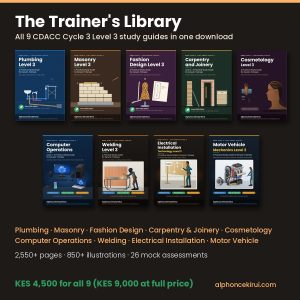
Trainer’s Library: All 9 CDACC Cycle 3 Level 3 Study Guides (PDF Bundle)
$34.74 Add to cart -
Sale!
Plumbing Level 4 Study Guide (CDACC Cycle 3) – PDF Ebook
Original price was: $9.26.$6.95Current price is: $6.95. Add to cart -
Sale!
Welding Level 4 Study Guide (CDACC Cycle 3) – PDF Ebook
Original price was: $9.26.$6.95Current price is: $6.95. Add to cart


Leave a Reply